
How hard can it be to terminate a claim?
Process, Strategy, & Execution.
Executive Summary
Goal:
Modernize a 20 year old claims management tool.
The product had developed critical stability issues. Modernizing would resolve them and enable a better, more efficient user experience.
Business Value:
An unrefined requirements gathering process led to rework but the deadline for handoff could only be extended one sprint.
Challenge:
The Context
History
In 2004 Northwestern Mutual released a tool called Disability Insurance Benefits Connection (DIBC) that collated data related to insurance claims to streamline and expedite the review process.
DIBC was the Claims team’s primary tool for 20 years and while new features were added during that time, the core experience remained largely unchanged.
By 2023 critical stability issues were starting to emerge and it became clear that a new solution was needed. Thanks to my extensive experience with large-scale modernization projects, I was brought on in 2024 to lead the effort to design DIBC’s successor, The Claims Platform.
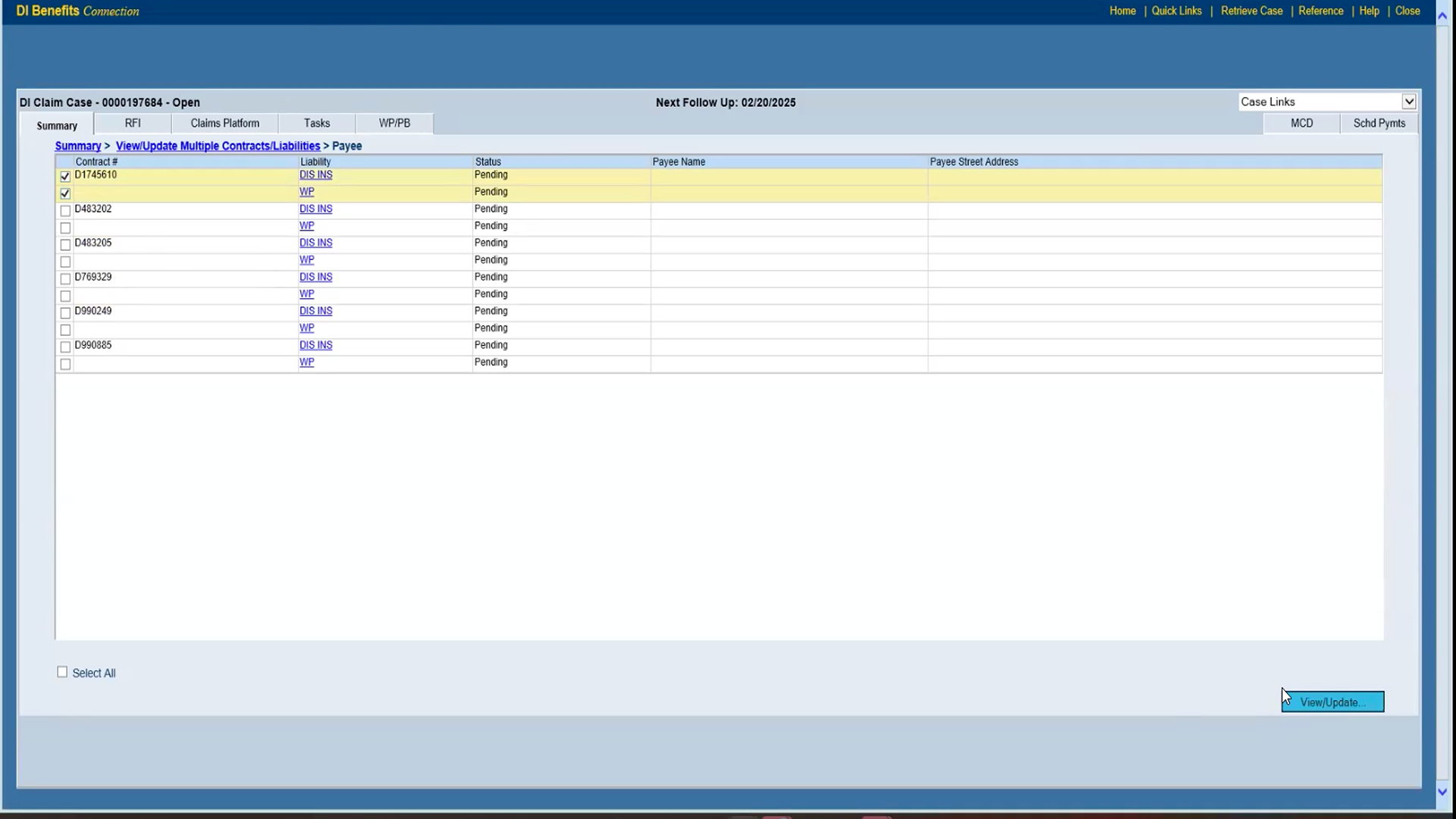
Decisioning landing page in the DIBC. Released c.2004 and in use into 2026.
Claims Termination Process
One of the most critical parts of the claims review process is the ‘Decisioning’ stage — the point in the process when an analyst decides whether liabilities associated with a claim should be approved or terminated. The workflows associated with claim termination are generally simpler than approval, so when it came time to design the Decisioning tool my partners and I chose to begin there. Initial requirements gathering work identified four distinct steps to the termination process:
Submit Information
Confirm & Remove
Select Liabilities
Assign Decision
The Problem
After confirming these steps with users and stakeholders I designed the first draft of the terminate workflow and presented it for review. During review, stakeholders realized that a critical feature—something called Business Conditions— had been overlooked during the requirements gathering process. Incorporating this feature necessitated a substantial redesign but the deadline for handoff couldn’t be.
The Process
Requirements gathering had been a persistent challenge throughout all the work on Claims Platform, largely due to the complexity and extensive history of the DIBC. I was lucky to work with a group of experienced subject matter experts but even they didn’t know all the ins and outs of the system. As a result, we’d regularly uncover pieces of functionality that needed to be incorporated but that hadn’t been accounted for.
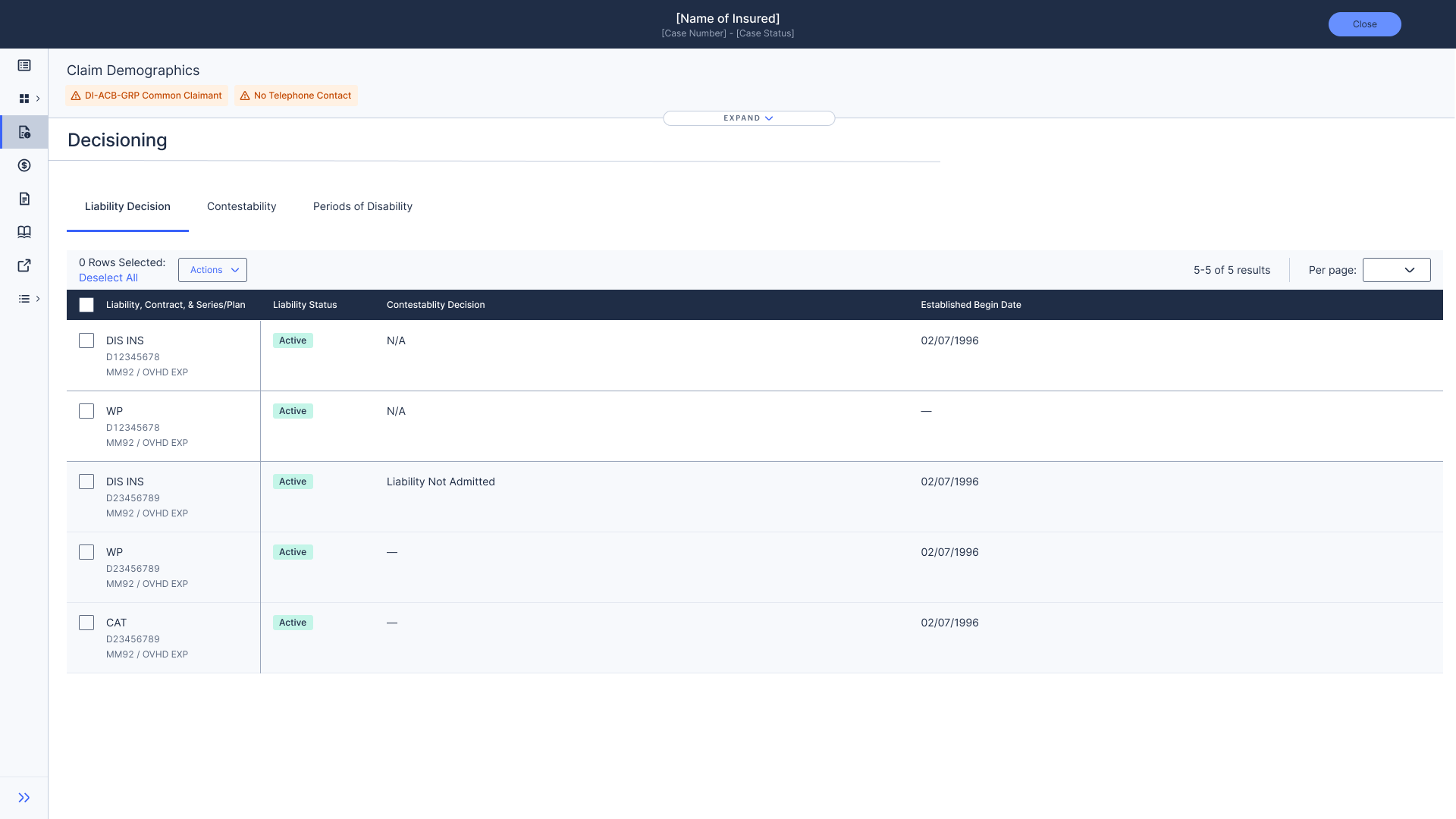
First draft of the redesigned Decisioning landing page.
Business Conditions
Prior to making any decisions an analyst has to confirm that they are acting in compliance with the contract associated with a given claim. Due to the complexity of these contracts, maintaining compliance can be a rather daunting task. Business Conditions is a feature released some years ago to help simplify this process.
Contract
When a customer purchases a policy they sign a dense, information-rich contract that stipulates the terms of that policy. This gets broken down into…
Business Conditions
A list of roughly 1,100 individual conditions. Each of these reflects a piece of information that could exist in a contract. Which lets the system show…
Important information when you need it most
If an analyst does something related to a clause in the contract the system can easily display the relevant info without them having to dig through the whole thing.
Most of these conditions are purely informational but some of them guide analysts to take follow-up actions to maintain compliance with the contract. The latter can be divided into two categories: bypassable conditions — actions that are suggested but not required — and non-bypassable conditions — actions that are required in order to proceed with the decision-making process.
This added two steps to the process, one of which was simple, one was so complex that changed the entire direction of the project.
Select Liabilities
Submit Information
Confirm & Remove
Review all business conditions
Resolve Non-bypassable conditions
What are Non-Bypassable Conditions?
On the surface, they’re pretty straightforward. When an analyst selects a liability then assigns it a decision, they may have to take additional actions to proceed. Those actions are presented as non-bypassable conditions and once they’ve been resolved the analyst can move on.
The problem is that they only appear after an analyst has started the decision process and they can only be resolved by going to different parts of the Claims Platform.
Assign Decision
The Results
We designed and built the first iteration of CV Imports and found that it was able to reduce entry time by up to 70%
We resolved a number of key accessibility issues, namely those related to contrast and page structure.
The data I gathered during the project helped to shift the product strategy to focus more on the needs of faculty.